
Data Entry using Microsoft Lists
Learn how to use Microsoft Lists for data entry and multi-user data capture. Stop using Excel. Eliminate the need for multiple file copies, copy paste and manual consolidation. Get direct,

Work Smarter, Grow Faster
Learn how to use Microsoft Lists for data entry and multi-user data capture. Stop using Excel. Eliminate the need for multiple file copies, copy paste and manual consolidation. Get direct,

Learn how to use OneNote to link notes to meetings. Whether you capture notes on paper, mobile or desktop, you can link them to meetings. Also learn many more useful features like calculator, image search, action points to Outlook tasks, linking audio to notes and shared notes.
Here is a quick reference for all the Microsoft 365 apps. What is Microsoft 365? That is a common question I get. There are lot of apps. People get confused.

Finance and Accounting departments use Excel extensively. Advanced Excel is still the most sought after topic for training programs globally. We conducted this live event on 27th Feb 2021. This
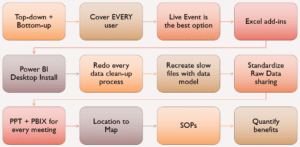
Here is the video of my session in the Paris Power Platform event – Power BI for Excel users. How Power BI can benefit every user of Excel – without

Learn how to save newly created files to Teams channels directly from Microsoft Office. No need to save first and then upload. File – Save as – Teams. Simple and Efficient.

Let us welcome the new year 2021 by learning some new Excel functions. I am conducting this live event on Saturday, 16th Jan at 3 PM India time (UTC +5.30).

Surprised? As you know, I am the efficiency advocate. So why talk about Inefficiency? Well, because efficiency may not always be a desirable thing. I want to explore this side

Clicking on the Sync button in Files tab is NOT the best way to Sync Teams files to Windows 10 desktop. Learn the right process in this article. 10 min


