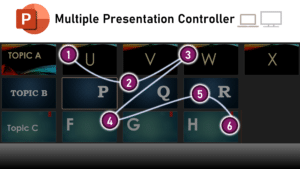
Manage multiple PowerPoint presentations Add-in
During COVID, I conducted 300+ sessions sitting at home – each one requiring me to manage multiple PowerPoint presentations simultaneously. One monitor (screen) is shared with the audience. They can

Work Smarter, Grow Faster
During COVID, I conducted 300+ sessions sitting at home – each one requiring me to manage multiple PowerPoint presentations simultaneously. One monitor (screen) is shared with the audience. They can

Arrange pictures instantly. Each picture is fully visible and readjusted to fit properly. Best for customer or product logos. Works with all pictures, SVG, icons, stickers and other stock art (except videos).
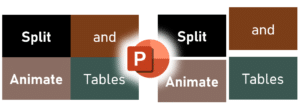
Download and use the macro to animate PowerPoint tables – cell by cell. As you know, with PowerPoint you cannot animate individual row, column or cell. You can only animate

Just found a solution to a longstanding problem I was facing. Therefore, I thought of documenting it for those who may have the same issue. The use case is: Using

Learn how to drive adoption of Microsoft 365 and maximize efficiency + ROI using Dr. Nitin’s proven methodology. Watch this informative, practical and simple video. Contents 00:00 – Introduction 02:15

Join me on YouTube live. One topic. In-depth coverage in 15 minutes. Upcoming Streams Watch Past Live Streams

Work automation sounds like an IT or programmer topic. It is not. Anyone – without any programming background can automate repetitive manual processes – using Power Automate (PA) – which

How to play music during Teams meeting? You can play Music only if you are sharing your screen.Create a presentation with just one slide – show the title of the

Learn why Microsoft Lists is better than Excel to capture tabular data from multiple persons in a secure manner, without sending attachments and manual copy paste. This article shows 22 benefits of using Lists instead of Excel.


