
How to create Multiple Pivot Charts for the SAME pivot table?

Yes. This is possible. Just add Pivot Charts from the Analyze (or Options) menu of Pivot Table. Multiple charts can be added. Choose different visualization for each chart to get varied views of the same data. For example, column chart for comparison and 100% column chart for viewing the relative distribution.
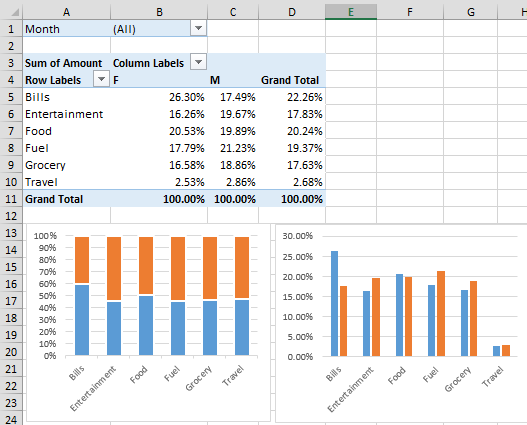

Pivot Charts

Queries | Comments | Suggestions | Wish list

Subscribe to Blog

Join 1,749 other subscribers

Popular articles

Use the power of Free Microsoft 365 Copilot to work more efficiently and grow faster in your career.

Excel to Power BI Course

Learn Power BI using the concepts you already know in Excel. Fast transition, in-depth coverage and immediately usable.

Pivot Table Pro Course

Yes. You use Pivot Tables everyday. Now it is time to find out the real power and nuances. 5.5 hours video, exercises, samples, Q&A.
