
7 New Excel Features
Practical and useful features for browser version of Microsoft Excel Contents Related videos Excel – Find Replace Formatting Multiple header crosstab data clean up – Excel – Power Query How

Work Smarter, Grow Faster
Practical and useful features for browser version of Microsoft Excel Contents Related videos Excel – Find Replace Formatting Multiple header crosstab data clean up – Excel – Power Query How
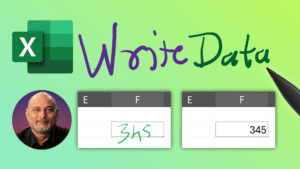
Write inside cells, do data entry using ink in Microsoft Excel. Erase, select, highlight and more… Contents Related videos How to create Excel Tables – 17 best practices Instant 3D

Use the new, powerful PivotBy function in Excel It replaces Pivot tables in many cases. To use multiple fields, you need to either use table syntax or HSTACK function. Download

Learn a smart and useful technique to use Find Replace in Excel. Download sample file and try Contents Related videos Excel Best Practices – Data Management – Part 1 of

Learn how to get data from Excel and send a mail to each row of data. This uses Word to create the template and Outlook to send the mail. This

Learn how to find text inside another text or data using Excel. I want to count the number of times the text appeared. I also want to consider or ignore

Create 3D map instantly from data in Excel. No lat long required. Just names of country, cities, towns, villages, pin codes, postal codes, address, districts, counties. Plot data, choose chart

Type tags and get comma list and # list instantly. Have comma list? Convert it to # list and vice versa. Also learn how to use the new and powerful

Analyse and calculate the amount of time each employee stayed in a role, department, grade, or any other parameter you have. Use Pivot Table + Calculated Column + Conditional formatting