Pivot data using Power Query
Pivot data using Power Query and Convert flat data with key – value pairs to tabular data. Simplify analysis. Use Power Query – Pivot Column for conversion. Download Sample File

Work Smarter, Grow Faster
Pivot data using Power Query and Convert flat data with key – value pairs to tabular data. Simplify analysis. Use Power Query – Pivot Column for conversion. Download Sample File

Apply Excel chart templates and customize a chart once. Save as template. Apply it manually or automatically – using a macro. Download macro file from here (zip) Contents Related videos

These built-in add-ins are powerful and useful. Power Pivot, Power Maps, and Inquire. Learn how to enable and use them. Contents Related videos Handle millions of rows in Excel –

Let us explore Flowcharts in Microsoft Excel. Uainf Data to create thew Flow Chart or using Copilot to make it. Related videos Instant flowchart using Copilot or ChatGPT Stop using
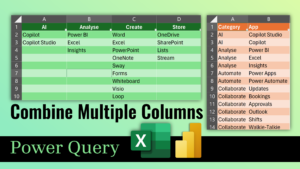
Clean-up data quickly using the amazing Power Query Convert multiple column data into two columns using Excel or Power BI with the UNPIVOT feature of Power Query. Download sample file
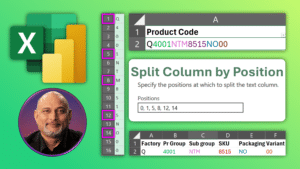
Simplify data cleanup Power Query magic. Excel and Power BI Split column by position – made easy. No trial and error, no mistakes. Download sample file Contents Related videos Consolidate
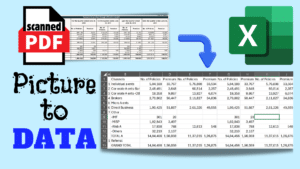
Scanned PDF or picture containing contain tabular data can be converted to Excel Data. Now, using Power Query, you can easily convert scanned tabular data into Excel. No manual data

Learn multiple ways to calculate age from birth date with the Dated If function in Excel and Power BI with a sample file to use. Download files from here Contents

Learn 4 ways to open multiple Excel files instantly including shortcuts on how to startup, open multiple files tips and more. Contents Related videos Best Practices for Data Entry Best