
AI Designer in Microsoft Word
Learn how to use AI Designer in Microsoft Word. Find and correct formatting inconsistencies and instantly change the look of the document. This is like Word Design Ideas. Contents Related

Work Smarter, Grow Faster
Learn how to use AI Designer in Microsoft Word. Find and correct formatting inconsistencies and instantly change the look of the document. This is like Word Design Ideas. Contents Related

Every content creator needs a content calendar. Using Microsoft List you can create the most sophisticated and strategic content calendar ever and that too is available for free! Content Related
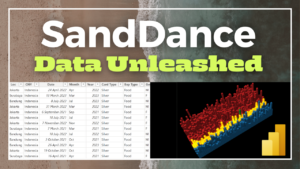
Power BI has a powerful custom visual from Microsoft called Sand Dance It is a UNIT visualization – which means – every row of your data is presented in every

Analyse and calculate the amount of time each employee stayed in a role, department, grade, or any other parameter you have. Use Pivot Table + Calculated Column + Conditional formatting

Learn about column profiling and column distribution while importing data using Power Query. Related Videos Multiple header crosstab data clean up – Excel – Power Query Eliminate VLOOKUP using Excel

Excel 2013 onwards has a powerful 3D map feature. It can also import any 2D image and plot your data on top of it. Very useful for mapping floor plans,

Power BI has a large collection of visuals. Using the right visual is important. In this video we will learn nine best practices about using visuals the right way. Using

This is the Ultimate Guide to Microsoft Task Management Apps. After making comprehensive videos on all the task management tools, here is the comparison between all of the apps including

Power BI is popular. Use these 10 best practices to make useful, insightful and flexible reports. Avoid common mistakes and make it easier for yourself and others to understand the


