
Org charts – Three methods – PowerPoint, Visio, Excel
In this series of videos, you will learn how to create org charts – using PowerPoint, Excel and Visio. Part 1 – PowerPoint SmartArt Contents Part 2 Excel and Visio

Work Smarter, Grow Faster
In this series of videos, you will learn how to create org charts – using PowerPoint, Excel and Visio. Part 1 – PowerPoint SmartArt Contents Part 2 Excel and Visio

The new Teams Public Preview finally has an app to create Avatar. Three Avatars – to be precise. Learn how to create your avatar and use it during meetings instead
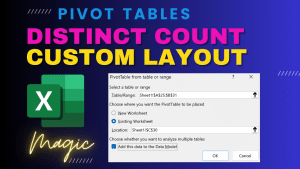
Distinct count is not available in Pivot Table by default. However, if you create a pivot table using data in data model, you can get this option. As an additional

Recently Power BI Formatting changed for better. It is now almost similar to the way we format charts in Excel. This makes it easier for Excel users to learn Power

Word search has an amazing feature called Wildcard Search. It is like regular expressions (RegEx). Extremely flexible and useful in myriad of scenarios. This is a skill you must learn.

Merge Shapes is the most powerful yet lesser known feature of PowerPoint. It has been there sincel 2010. It allows you to combine shapes, text, pictures and videos in five

Video – Part 1 Video – Part 2 Video Contents Jump directly to the topic of your interest …

Teams is much more than chat and meetings. Learn how to use Teams to improve all types of teamwork. Whether it is ad-hoc coordination with few colleagues, recurring review meetings,



