
FormulaText function in Excel was introduced in version 2013. It requires just one parameter – the cell from which you want to display the formula. Even if you select a range, it will return the formula in the top left cell.
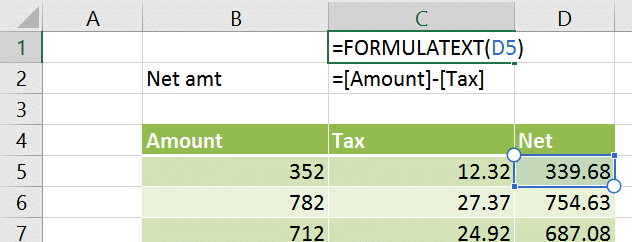
When to use the FormulaText function in Excel
Here are three practical scenarios.
-
It is very helpful in documenting important formulas.
-
It can also be used as a part of an audit process.
-
Trainers can use it to teach formulas more effectively.
-
I find it useful for creating more readable screenshots while creating learning content for Excel.



2 Responses
I believe, this feature is added in version 2013.
Yes you are correct. This feature was added in 2013. I have updated the post accordingly. Thank you and have a nice day. Dr. Nitin