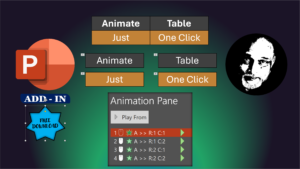
Animate tables in one click
Learn to Animate tables in one click. Animate every cell. Customize animation as required. Select table – Click on Animate Table button – Done! Effective Storytelling. Download add-in, source code

Learn to Animate tables in one click. Animate every cell. Customize animation as required. Select table – Click on Animate Table button – Done! Effective Storytelling. Download add-in, source code

Using Copilot is now easier. Save the output as Loop pages. Edit, share, collaborate, enhance and organize. Available in Copilot Chat. Contents The Need – 00:00 The solution – 00:34
This Blog is about creating assessments or quiz orknowledge check using Copilot and Microsoft Forms. Download Prompts and Steps Contents Intro – 00:00 Copilot Quiz Prompt – 00:16 Referring to

Split text to words instantly – Free Add-in – Text Art Typography. Stop splitting text manually. Do it in one click. Download this PowerPoint add-in from here Related videos How

Do you filter pivot tables one item at a time and copy paste and send to different people? Stop doing that. Use this macro by Dr Nitin. It saves you

Ask a question to Power BI and it will generate the visual or chart for you instantly. Never say “I will get back to you”. Take faster and informed decisions.

Financial data analysis using Word Copilot. Analyse balance sheet using Word #copilot #excel Copilot is still in beta. But Word Copilot can analyse complex financial data easily. Download File Related

Finally, Copilot is available inside OneDrive now the Gen AI power of Copilot has reached the most important place – files! Select a file and work on it. Office, TXT,

Learn how to use F1 to F12 keys across various apps. Directly and with modifier keys. Contents Intro – 00:00 F12 – 00:07 F11 – 00:20 F10 – 01:04 F9


