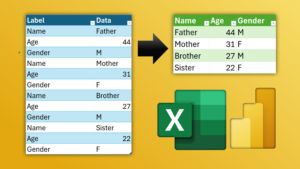
Pivot data using Power Query
Pivot data using Power Query and Convert flat data with key – value pairs to tabular data. Simplify analysis. Use Power Query – Pivot Column for conversion. Download Sample File

Pivot data using Power Query and Convert flat data with key – value pairs to tabular data. Simplify analysis. Use Power Query – Pivot Column for conversion. Download Sample File

Apply Excel chart templates and customize a chart once. Save as template. Apply it manually or automatically – using a macro. Download macro file from here (zip) Contents Related videos

No extensions. Use Microsoft Edge Browser Right click and choose Screenshot – Capture Full Page Also learn how to show long images using PowerPoint Morph. Bonus: Scrolling screenshot is also

These built-in add-ins are powerful and useful. Power Pivot, Power Maps, and Inquire. Learn how to enable and use them. Contents Related videos Handle millions of rows in Excel –

Select photos, auto-crop, rotate, clean-up, annotate and create PDF. All using Microsoft Office app – for free. Related videos Scanned PDF or picture to Excel data Create PDF from camera
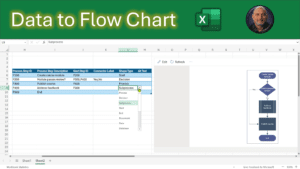
Let us explore Flowcharts in Microsoft Excel. Uainf Data to create thew Flow Chart or using Copilot to make it. Related videos Instant flowchart using Copilot or ChatGPT Stop using

Create professional Flow Chart using Copilot. Get the steps from Copilot and create the actual flowchart using Mermaid Software. Related videos Stop using PowerPoint for flowcharts and infographics – Use

Office365 Business Basic is the cheapest 1 tb cloud space you can get. It is just INR 145 or USD 6 per user per month. It comes with many other

Learn to use Mouse Gestures in the Edge Browser to improve your experience and make your life easier and functionality in the browser. Related videos Vertical tabs in Edge Speed


