Work or Web – Which one to use when with M365 Copilot
Work or Web? Learn which one to use when, with simple things to keep in mind or ask yourself using M365 Copilot. Related videos Check out my Copilot playlist with

Work or Web? Learn which one to use when, with simple things to keep in mind or ask yourself using M365 Copilot. Related videos Check out my Copilot playlist with

Create new font in your handwriting for free using a touch screen and stylus (pen tablet) in TTF format on Windows font maker. Use your own handwriting. Save the font
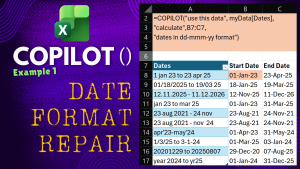
Fix ANY Date Format in Excel with Copilot Function without any Macros. Got dates in multiple, different and difficult formats? No problem. “COPILOT()” function understands them. When you cannot use
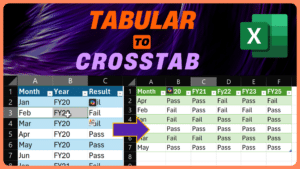
Convert tabular data to crosstab – Power Query. Let us understand this simple but useful task in Microsoft Excel. Download sample file Related videos How to enter and edit Excel

Four types of numbering in Word. Learn the 4 different types of numbering and when to use them in Microsoft Word. Namely Page Numbers, Heading Numbers, Line Numbers and regular

Using Copilot is now easier. Save the output as Loop pages. Edit, share, collaborate, enhance and organize. Available in Copilot Chat. Contents The Need – 00:00 The solution – 00:34

Split text to words instantly – Free Add-in – Text Art Typography. Stop splitting text manually. Do it in one click. Download this PowerPoint add-in from here Related videos How

Ask a question to Power BI and it will generate the visual or chart for you instantly. Never say “I will get back to you”. Take faster and informed decisions.

Learn how to use F1 to F12 keys across various apps. Directly and with modifier keys. Contents Intro – 00:00 F12 – 00:07 F11 – 00:20 F10 – 01:04 F9


